
Claude Code is a genuinely good agent builder. You describe what you want, it reasons through the problem, picks tools, and ships working code. For greenfield projects against well-documented libraries, the experience is close to magic.
Where it gets harder is the same place every coding agent struggles: building on a specialized platform with its own deployment patterns, SDK conventions, and infrastructure abstractions. Claude doesn’t ship knowing your pyproject.toml layout, which endpoint to call for a real-time prediction, or how to wire Pulumi for a first production deploy. Without that context, you spend your time correcting hallucinated API calls instead of building. And none of that touches the harder enterprise question: once the agent works, how do you deploy it inside your governance boundary instead of on someone’s laptop?
DataRobot closes that gap from two directions, and Claude is on both sides of it. Claude is the default model in DataRobot Agent Assist, the design loop that turns an idea into a reviewable spec before any code exists. And the platform expertise of DataRobot ships as agent skills that install directly into Claude Code, so when Claude writes the implementation, it already knows the platform. Together they give you a path from agent idea to governed production deployment without the platform-specific guesswork in the middle.
Two Claude-powered surfaces, one workflow
The two surfaces are complementary, not redundant. One designs, while the other handles the build.
DataRobot Agent Assist (dr assist)DataRobot skills in Claude CodeWhat it isAn interactive design-to-deploy assistant, Claude Sonnet 4.5 by default via the LLM GatewayModular context packages (SKILL.md folders) that teach Claude Code the platform conventions of DataRobotWhat it’s best atThinking through the spec, simulating tool calls, scaffolding from the Agentic Starter templateWriting the implementation against validated SDK and deployment patternsOutputAn agent_spec.md you can review with stakeholders, plus a scaffolded projectCorrect, deployable code in your repoWhen you reach for itThe start of a new agent, when intent is still fuzzyImplementation and deployment, when you know what you’re building
The handoff between them is the point. Agent Assist is strong at the part developers usually skip: deciding what the agent should do, which tools it needs, and how it should behave, before committing to code. It asks clarifying questions, writes an agent_spec.md in YAML, and simulates tool calls as a dress rehearsal so you can validate the design without hitting a live deployment. When the spec holds up, you hand the implementation to Claude Code, where the skills supply the platform context the spec assumes.
Getting set up
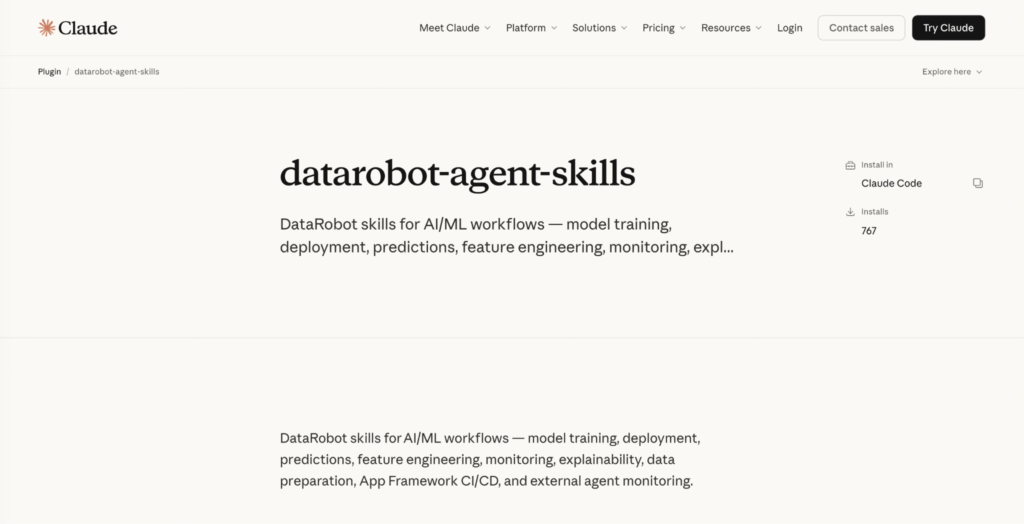
DataRobot skills ship as a Claude Code plugin. One command installs them:
claude plugin install datarobot-agent-skills@claude-plugins-official
Each skill is a self-contained folder with a SKILL.md file, YAML frontmatter that tells Claude when the skill applies, and helper scripts the agent can run directly. The set covers model training, deployment, predictions, feature engineering, monitoring, explainability, data preparation, and CI/CD for the app framework, with more added regularly.
Because skills are Agent Context Protocol definitions, the same repository works across Codex, Gemini CLI, Cursor, and others, but the plugin install above is the native path for Claude Code.
If you prefer the terminal, the universal installer does the same job:
npx ai-agent-skills install datarobot-oss/datarobot-agent-skills –agent claude
Agent Assist installs as a DataRobot CLI plugin and runs anywhere the DataRobot CLI is installed:
dr plugin install assist
Why skills, not just docs
Every platform team carries knowledge that exists nowhere in writing: the validation step that matters before the deployment call, the field whose absence is a warning rather than an error, the unwritten sequence everyone just knows. A human developer absorbs that judgment through repeated failure. An agent approaches your platform as a highly capable generalist armed only with the surface area you explicitly made available. If the correct sequence is only implied by the documentation, the agent infers its own. Then it improvises, confidently, and improvisation at enterprise scale is a different kind of risk than improvisation in a sandbox.
Skills close that gap by packaging operational judgment into task-scoped context an agent can act on. That also means they demand the discipline of code releases, not documentation updates. Wrong docs confuse one developer, who opens a support ticket. A wrong skill drives an agent to execute a broken workflow automatically, at scale, with total confidence. So DataRobot skills carry changelogs, CI that verifies them against the current platform API, and mandatory review before merging. When the platform evolves, the skills evolve through the same process you’d use for a breaking SDK change.
The measure of an agent-native platform is how much the agent needs to hallucinate. We’re working to get that number to zero.
DataRobot skills on Claude Code in action: from raw dataset to retention plan
In the Claude Code session below, we pointed the agent at a DataRobot account containing 130 datasets and 97 deployments accumulated over years of production AI work (forecasting systems, churn classifiers, GenAI deployments, MCP servers). Claude instantly read the feature schemas of 32 active deployments and the column names of 138 datasets.
Notice the behavior. The skill instructed the agent to inspect the deployment schema first, understanding what the model expects before touching any data. The seven required features weren’t guessed; they were read from the live deployment. The confirmation that churn_data.csv was valid happened column by column. This is the structural validation agents usually skip when nothing enforces it. Here it ran silently, before the user even asked for a score.
The live churn model ran against the customer dataset, the job completed, and the results landed locally. One follow-up prompt later:
The 651 accounts at the top of that distribution carry an average churn probability of 0.905.
In a few minutes, we identified the customer accounts the retention team needs to act on. The skill made the workflow that produced that output reliable enough to trust. And the agent, without being asked, moved from “here are the results” to “here is what you do with them.”
That last step is worth pausing on. The skill encodes the prediction workflow and the agent interprets the output. The combination produces something neither would have produced alone: a complete path from raw dataset to prioritized business action, in a single conversational session, against a production environment with years of real complexity underneath it.
From the first question to the final outreach list: three prompts, one session, no documentation consulted, and no steps hallucinated.
That is what a teachable platform looks like: skills as SDKs.
What you still own
Skills and templates give you a working application so you can spend your time on the decisions that are actually yours. Load prompts from the Prompt Management Registry by ID instead of hardcoding them. Configure LLM fallbacks early, because one provider outage shouldn’t take the agent offline. Attach a prompt injection guardrail, and add toxicity and PII guardrails before real users arrive. Require human approval for any tool with side effects. Stand up a golden dataset so you can tell whether a prompt change made the agent better or worse. None of these are unique to DataRobot; they’re what separates a deployed agent from a production agent. The difference is that the platform gives you the place to put them.
To keep it real: skills provide context, not magic. They won’t complete OAuth wiring for a third-party data source or guarantee a complex multi-integration agent works without iteration. What they eliminate is the class of errors that comes from a coding agent not knowing platform specifics: wrong endpoints, missing runtime parameters, incorrect dependency declarations, mixed local and deploy patterns. That’s where most developer time is lost on a new platform, and it’s the part this stack solves.
Get started
DataRobot skills source and full skill set: github.com/datarobot-oss/datarobot-agent-skills
Claude Code plugin listing: claude.com/plugins/datarobot-agent-skills
Agent Assist guide: docs.datarobot.com/en/docs/agentic-ai/agent-assist
Agentic Starter template: github.com/datarobot-community/datarobot-agent-application
The gap between an agent prototype and an agent in production is mostly operational context. Claude writes the code. DataRobot supplies the context and the place to run it. Together, that’s the shortest credible path from an idea to a governed deployment.
The post The DataRobot platform as skills in Claude Code appeared first on DataRobot.